
WordPress Speed Optimization Service: Faster Pages, Fewer Lost Visitors
Our WordPress speed optimization service finds out why your site is slow, fixes the causes and shows you the difference with real measurements. We don’t just install a caching plugin and send an invoice. Our developers in Karachi work on images, scripts, plugins, themes and hosting, on a safe copy first, so your live site stays protected.
Why you may need a WordPress speed optimization service
A slow website costs you in ways that are easy to miss. Visitors leave before the page appears, ads get clicks that never turn into views, and people on mobile data give up first. Many of your customers will never tell you this happened. They simply go to the next result.
Speed also plays a part in search. Google says good Core Web Vitals align with what its ranking systems want to reward, though speed alone won’t beat more relevant content. The main benefit is simpler: a fast site is more pleasant to use, and people who enjoy using a site are more likely to enquire or buy.
What slows WordPress down
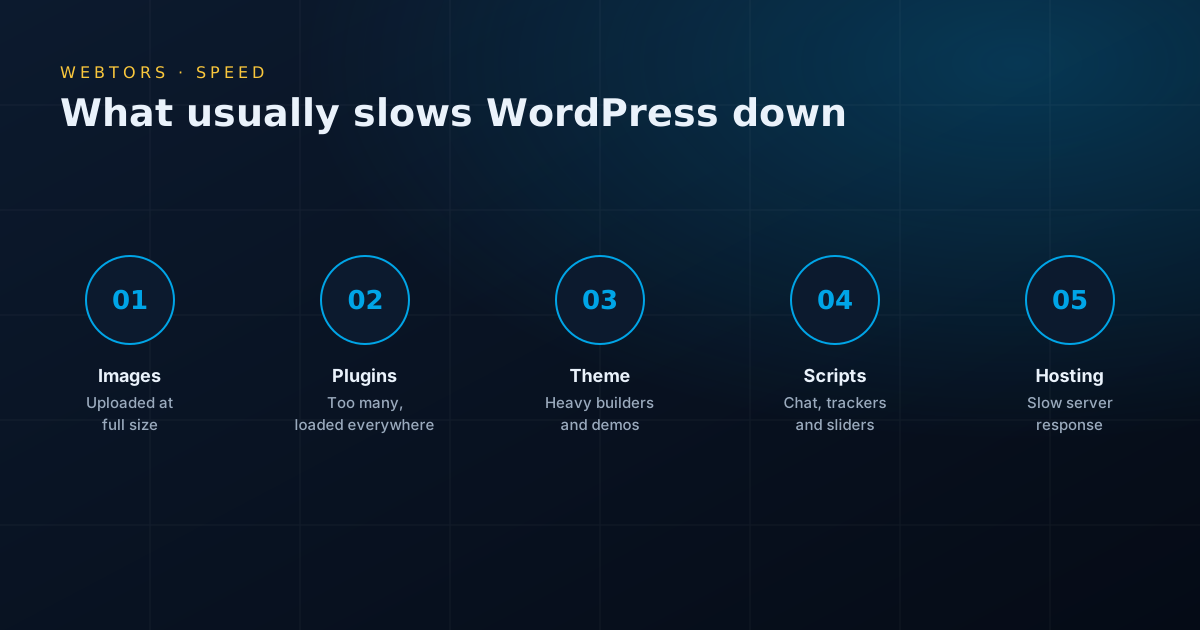
WordPress itself is not slow. These are the usual culprits, in rough order of how often we find them:
- Oversized images: phone photos or banners uploaded at full size, sometimes several megabytes each.
- Too many plugins: each can load its own CSS and JavaScript on every page, even where it isn’t used.
- Heavy themes and page builders: multi-purpose themes and builders can add a lot of code to do simple things.
- Third-party scripts: chat widgets, trackers, sliders, embedded maps and videos.
- Weak hosting: crowded shared servers take a long time to respond before anything has even loaded.
- No caching: WordPress rebuilds each page for every visitor when it doesn’t need to.
- A bloated database: years of revisions, spam comments and leftovers from removed plugins.
- Too many fonts: several families and weights, often loaded from elsewhere.
What our WordPress speed optimization service fixes
Images
We resize and compress existing images, serve modern formats such as WebP, and lazy load images further down the page. This is often the single biggest win.
Caching
We set up page, browser and object caching to suit your hosting, and exclude pages that must stay dynamic, such as carts and checkouts.
Plugins and scripts
We test every plugin’s cost, remove what you don’t need, replace heavy ones with lighter alternatives, and stop scripts loading on pages that don’t use them.
CSS, JavaScript and fonts
We reduce unused code, delay what isn’t needed right away, and load fonts so that text appears quickly and doesn’t jump around.
Database
We clean old revisions, expired data and tables left behind by old plugins, after taking a full backup.
Hosting review
If your server is the bottleneck, no amount of tweaking will fix it. We will say so and explain your options, including our managed WordPress hosting, though you are free to go elsewhere.
Theme fixes
Sometimes the theme itself is the limit. We will tell you how far it can go, and whether a rebuild would be better value than more patching.
Core Web Vitals and our WordPress speed optimization service
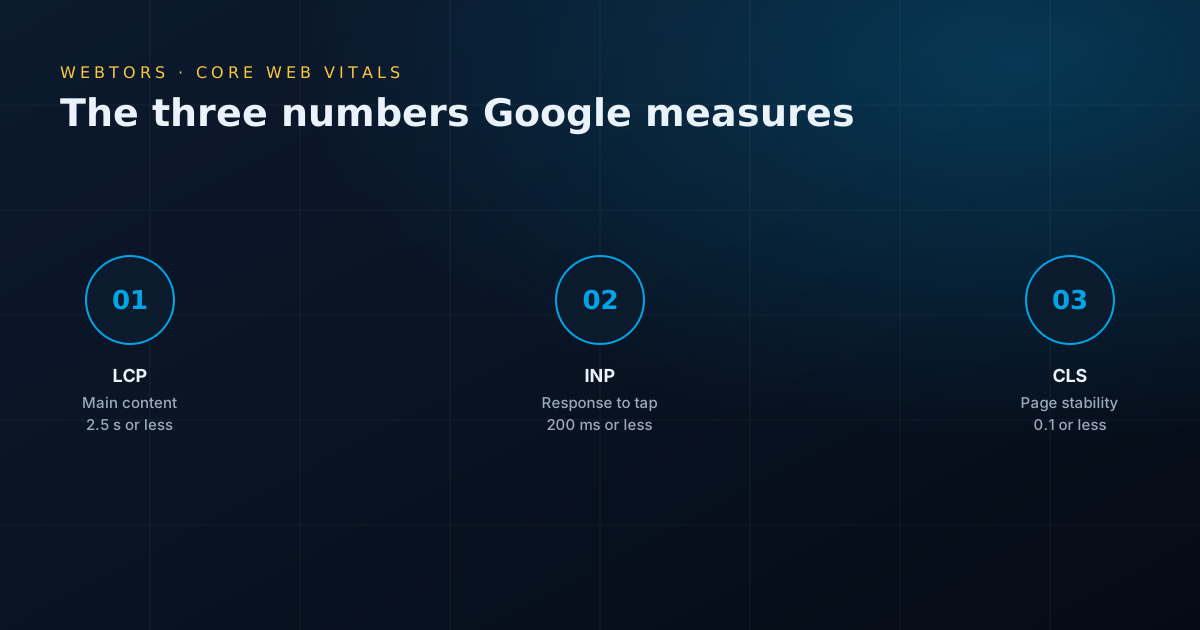
Google measures three things about how real visitors experience your pages. The current targets are published on web.dev:
- Largest Contentful Paint (LCP): how long the main content takes to appear. Aim for 2.5 seconds or less.
- Interaction to Next Paint (INP): how quickly the page responds when someone taps or clicks. Aim for 200 milliseconds or less.
- Cumulative Layout Shift (CLS): how much the page jumps around as it loads. Aim for 0.1 or less.
Our WordPress page speed optimization work targets these real measures rather than just chasing one score. A page can score well on a test and still feel slow to a visitor on a cheap phone, and it’s the visitor who matters.
How our WordPress speed optimization service works
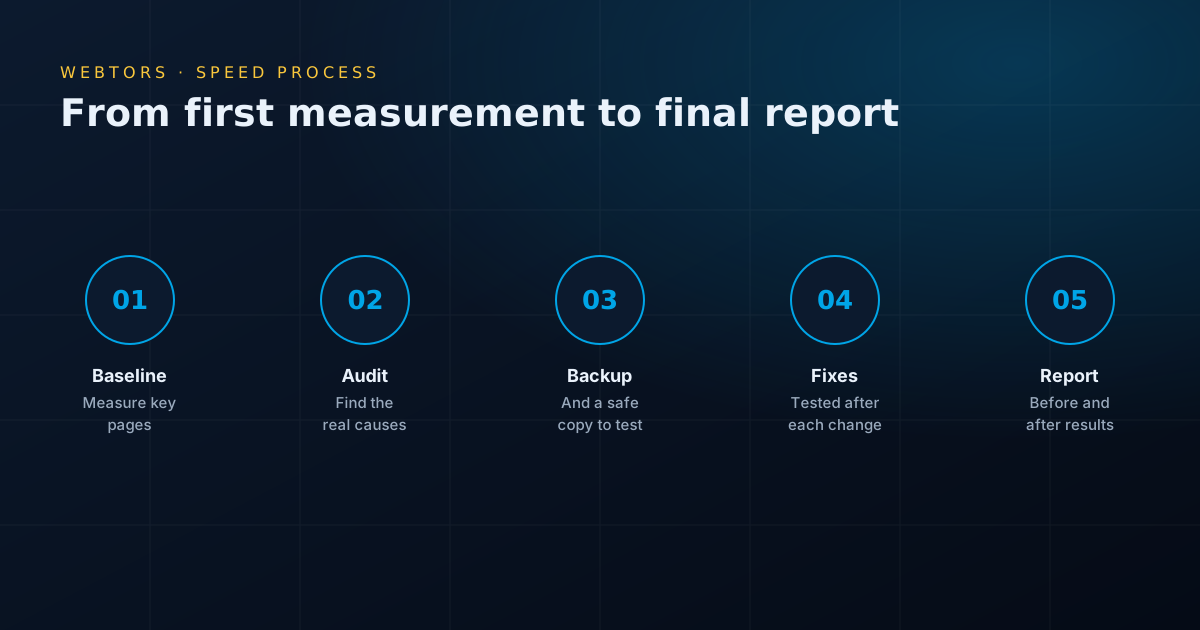
- Baseline: we measure your key pages on mobile and desktop, including PageSpeed Insights and real-user data where available.
- Audit: we find what is causing the slowdown and list the fixes, with an honest view of what each will achieve.
- Backup and staging: we take a full backup and test on a private copy wherever your hosting allows.
- Fixes: we work through the list, testing forms, checkout and layout after each major change.
- Measure again: the same pages, the same tests, so the comparison is fair.
- Report and advice: you see before and after results, and how to keep the site fast.
What to expect, and what we won’t promise
Any honest WordPress speed optimization service should be clear about the limits:
- We don’t promise a score of 100. Scores vary between runs and depend on your theme, hosting and third-party tools. We aim for real improvement on the pages that matter.
- Some scripts are a trade-off. A chat widget or tracking tag may be worth keeping even if it costs some speed. We will explain the cost, and you decide.
- Speed alone won’t fix rankings. It helps, but content and relevance matter more. For that, see our SEO services.
- Speed fades without care. New plugins and big images will slow things again, so we show your team how to avoid that.
WordPress speed optimization service for WooCommerce
Online stores are harder to speed up, because carts, checkouts and account pages can’t be cached like normal pages. They also tend to carry more plugins and larger databases. For WooCommerce, we focus on product images, cart scripts, database queries and server capacity, and we test full purchases after every change. If you sell online, see our e-commerce website development page too.
A WordPress speed optimization service for Pakistani visitors
Many speed advice articles assume fast connections and new phones. Your visitors in Pakistan may be using mobile data on a budget Android phone, so we test under slower conditions. Server location matters too. A site whose visitors are mainly in Pakistan may benefit from a content delivery network (CDN) or a nearer server, while a site selling abroad has different priorities. We check where your visitors are before recommending anything.
Before you hire a WordPress speed optimization service
Before paying for a WordPress speed optimization service, try these free steps:
- Run your homepage and a key page through PageSpeed Insights, on mobile.
- Deactivate and delete plugins you no longer use.
- Check the size of your largest images. Anything over a few hundred kilobytes deserves a look.
- Update WordPress, your theme and plugins, after taking a backup.
- Remove sliders and autoplay videos from the top of pages.
- Make sure you are using a supported PHP version, which your host can usually change.
If your site is still slow after that, the cause usually needs a developer to find.
How much does a WordPress speed optimization service cost?
The price depends on what we find, so we look before we quote. The main factors are:
- the size of the site and number of page types,
- whether it is a store or a brochure site,
- the theme and page builder in use,
- the number of plugins and third-party scripts,
- how many images need processing.
Be careful with very cheap offers. Some simply install a plugin that minifies everything, which can raise a score for a while and break your site later. Ask what will actually be done.
Questions to ask any WordPress speed optimization service
- Will you back up my site, and test on a staging copy?
- Which pages will you measure, and will I see before and after results?
- Will you check forms and checkout after the work?
- Are you adding paid plugins that I will have to renew?
- What happens if something breaks a week later?
After a WordPress speed optimization service: staying fast
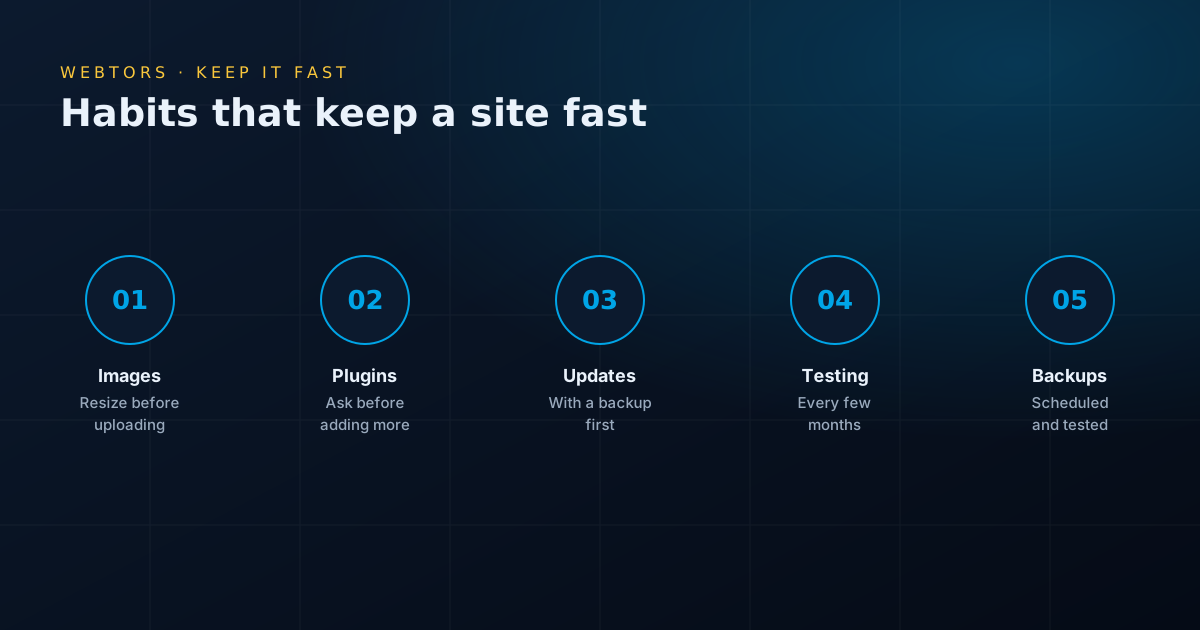
Speed is not a one-off job. To keep the gains, resize images before uploading, ask before adding plugins, and check PageSpeed Insights every few months or after any big change. If you would rather not think about it, our website maintenance service can include regular checks along with updates and backups.
Why choose Webtors for your WordPress speed optimization service
- Developers, not plugin installers: we can change the code when settings aren’t enough.
- WordPress experience since 2014: part of more than 1,100 websites and projects.
- Your site stays safe: backups first, and functions tested afterwards.
- Clear reporting: before and after results on the same pages.
- Rated 4.9 on Google: from 206 reviews by real clients.
Signs you need a WordPress speed optimization service
You don’t need a technical test to suspect a problem. These are common warning signs:
- Pages take more than a few seconds to show anything on your phone, particularly on mobile data.
- The admin area is painfully slow, which often points to the server or a heavy plugin.
- Your ads get clicks, yet Analytics records far fewer visits. People may be leaving before the page loads.
- Search Console’s Core Web Vitals report lists poor or failing URLs.
- Content jumps around as the page loads, causing people to tap the wrong thing.
- Speed was fine until a redesign or a new plugin was added.
How to read a PageSpeed report
A PageSpeed Insights report can be confusing, and many people focus on the wrong part. Here is how our WordPress speed optimization service reads one:
- Real-user data comes first: the top section, where available, shows how actual Chrome visitors experienced your site over the past 28 days. This is closest to reality.
- The score is a lab test: the number from 0 to 100 comes from one simulated visit. It changes between runs, so never judge from a single test.
- Mobile matters most: the mobile test simulates a slower device and connection, so its score is usually lower than desktop.
- Test more than the homepage: product and service pages often bring more visitors and can be slower.
- Treat suggestions as clues: some are worthwhile and others won’t make a noticeable difference, so we weigh the likely gain against the risk.
Caching mistakes that cause trouble
A caching plugin is often the first thing people try, and it can help a lot. It can also cause problems when it’s set up carelessly. We often see these:
- Caching carts and account pages: customers can end up seeing the wrong information. These pages must be excluded.
- Stacked caching plugins: two tools doing the same job can conflict.
- Combining all scripts blindly: this can break menus, sliders and forms without any obvious error message.
- Forgetting the CDN: some hosts add a separate layer of caching, so your changes may not appear until that layer is cleared as well.
- Treating caching as the whole answer: it hides a slow site from returning visitors, but the first load may stay slow.
Page builders and your WordPress speed optimization service
Elementor, WPBakery, Divi and similar builders make layouts easy to change, but they can add a lot of code to each page. You don’t always have to abandon them. Our WordPress speed optimization service will first try switching off unused features, reducing widgets and nested sections, and using lighter settings. If your theme and builder are still the limit after that, we will tell you. For a site that depends heavily on speed, a rebuild without the builder may be better value than continued patching.
Which third-party scripts are worth keeping?
Scripts from other companies are often the hardest speed problem, since you can’t change their code. A simple way to decide is to compare what each one costs with what it brings in:
| Script | Usual verdict | What we try |
|---|---|---|
| Analytics and conversion tags | Keep, as you need the data | Remove duplicates and old tags |
| Chat widgets | Keep if people use them | Load after a delay, or use a plain WhatsApp link |
| Embedded maps and videos | Keep where useful | Show a preview image until clicked |
| Sliders and animation libraries | Often remove | Replace with a single strong image |
| Old tracking pixels and unused tools | Remove | Check who still needs them first |
Hosting and your WordPress speed optimization service
Even a perfectly tuned site feels slow on a struggling server. When choosing or reviewing hosting, ask about:
- Server response time: test it at quiet and busy times, as this is where weak hosting shows up.
- Current PHP version: newer supported versions are generally faster and safer.
- Storage type: NVMe or SSD disks handle database work much better than older drives.
- Server-level caching: options such as LiteSpeed can be very effective.
- Resource limits: cheap plans can throttle sites at busy times, which hurts most during a sale or campaign.
- Location: a server or CDN closer to your visitors reduces waiting time.
Image guidelines for your team
Most sites slow down again because of images added after the speed optimization service has finished. Share these simple rules with whoever uploads content:
- Resize images to the largest size they will be shown at. A full-width banner rarely needs to be more than about 1,920 pixels wide.
- Use WebP where possible, and use JPEG for photos if not.
- Keep PNG for logos and graphics that need transparency.
- Avoid uploading straight from a phone or camera without resizing.
- Add descriptive file names and alt text, which help accessibility and search.
Speed and your advertising budget
If you run Google or Meta ads, a WordPress speed optimization service can pay for itself. You pay for the click whether or not the page finishes loading, so a slow landing page wastes money directly. Compare clicks in your ad account with landing page visits in Analytics. A large gap can be a sign that people leave before your page appears. Our digital marketing team works alongside our developers, so these problems get fixed rather than just reported.
WordPress speed optimization service: common questions
How much does a WordPress speed optimization service cost?
It depends on the size of the site, the theme, the plugins and whether it is a store. We review the site first, then send a fixed quote listing the work.
Will a WordPress speed optimization service get my score to 100?
We can’t promise that, and you should be wary of anyone who does. Scores vary between runs and depend on your theme, hosting and third-party tools. We aim for real improvement in loading time and Core Web Vitals on your important pages.
Will a WordPress speed optimization service break my site?
Aggressive settings can break layouts, forms or checkouts if nobody checks. That’s why we take a full backup, test on a copy where possible, and check key functions after each major change.
Does a WordPress speed optimization service help Google rankings?
It can help, but it is one factor among many. Google rewards pages with a good overall experience, and relevant, helpful content still matters more. The bigger benefit is usually fewer visitors leaving and more enquiries.
Do I need to change my hosting?
Not always. We check your server response time first. If hosting is the bottleneck we will explain your options, and if it isn’t, we won’t suggest moving.
Does your WordPress speed optimization service cover sites you did not build?
Yes. Most of this work is on sites built by someone else, including those using page builders and WooCommerce.
Does your WordPress speed optimization service work on WooCommerce?
Yes, though stores need more care because carts and checkouts can’t be cached like other pages. We test full purchases after making changes.
Start a project
Tell us what you want to build.
A new website, an online store, SEO or IT support — an expert will reply with honest advice and a clear quote. The first consultation is free.
- Phone / WhatsApp+92 334 3399900
- Emailsales@webtors.com
- OfficeMezzanine Floor M1, Plot #6C, Zamzama Commercial, Lane 2, Phase-V, DHA, Karachi, Pakistan